
Voodoo Screen Test Patterns3.4 - Google Play
You'll be able to see results in few seconds.
Publisher Description
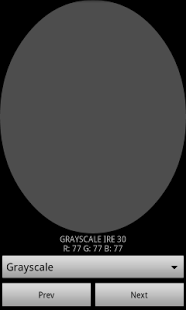
Screen Test Pattern Android Application:
by François SIMOND aka supercurio
Note: this application is obsolete and has errors in the values used in color saturation measurements.
I'm working on a much superior, automated approach and don't intent to fix this one.
Join this Google+ community if you're interested by this project or have questions:
https://plus.google.com/u/0/communities/103123288128442067861
This app display simple colors on your Android device screen.
Those colors are then measured by a colorimeter or spectrophotometer
in order to build graphs or color profiles.
I recommend using free software Color HCFR:
http://www.homecinema-fr.com/colorimetre/
but I guess alternative solutions like Calman or ChromaPure are fine.
Non-fullscreen pattern is intentional to help with measurement accuracy on displays with content-adaptive backlight/brightness control or brightness consistency issues when displaying large bright zones. Bad ratings for "missing fullscreen options" are lame and non welcome.
(This aspect can be improved)
Requirements:
- A computer
- A colorimeter or spectrophotometer
Features supported:
- Grayscale: 4-128
- Near Black: 4-10
- Near White: 4-10
- Saturations: 4-16
Application also has its own brightness level control
Source code:
https://github.com/project-voodoo/screen-test-patterns-app
See COPYING for license stuff.
About Voodoo Screen Test Patterns
The company that develops Voodoo Screen Test Patterns is supercurio - Project Voodoo. The latest version released by its developer is 3.4.
To install Voodoo Screen Test Patterns on your Android device, just click the green Continue To App button above to start the installation process. The app is listed on our website since 2013-06-13 and was downloaded 0 times. We have already checked if the download link is safe, however for your own protection we recommend that you scan the downloaded app with your antivirus. Your antivirus may detect the Voodoo Screen Test Patterns as malware as malware if the download link to org.projectvoodoo.screentestpatterns is broken.
How to install Voodoo Screen Test Patterns on your Android device:
- Click on the Continue To App button on our website. This will redirect you to Google Play.
- Once the Voodoo Screen Test Patterns is shown in the Google Play listing of your Android device, you can start its download and installation. Tap on the Install button located below the search bar and to the right of the app icon.
- A pop-up window with the permissions required by Voodoo Screen Test Patterns will be shown. Click on Accept to continue the process.
- Voodoo Screen Test Patterns will be downloaded onto your device, displaying a progress. Once the download completes, the installation will start and you'll get a notification after the installation is finished.
Program Details
System requirements
Download information
Pricing
Version History
version 3.4
posted on 2013-06-13
version 3.4
posted on 2013-06-13
Several fixes and updates
Disclaimer
Official Google Play Link
We do not host Voodoo Screen Test Patterns on our servers. We did not scan it for viruses, adware, spyware or other type of malware. This app is hosted by Google and passed their terms and conditions to be listed there. We recommend caution when installing it.
The Google Play link for Voodoo Screen Test Patterns is provided to you by apps112.com without any warranties, representations or guarantees of any kind, so access it at your own risk.
If you have questions regarding this particular app contact the publisher directly. For questions about the functionalities of apps112.com contact us.
